

What is the persona?
The persona is where you configure how an agent behaves: what it says, what it can read, which rules it follows, and which workflows it can run. You open it from an agent (e.g. Persona button or the agent’s settings). The persona is split into tabs; each tab controls one area.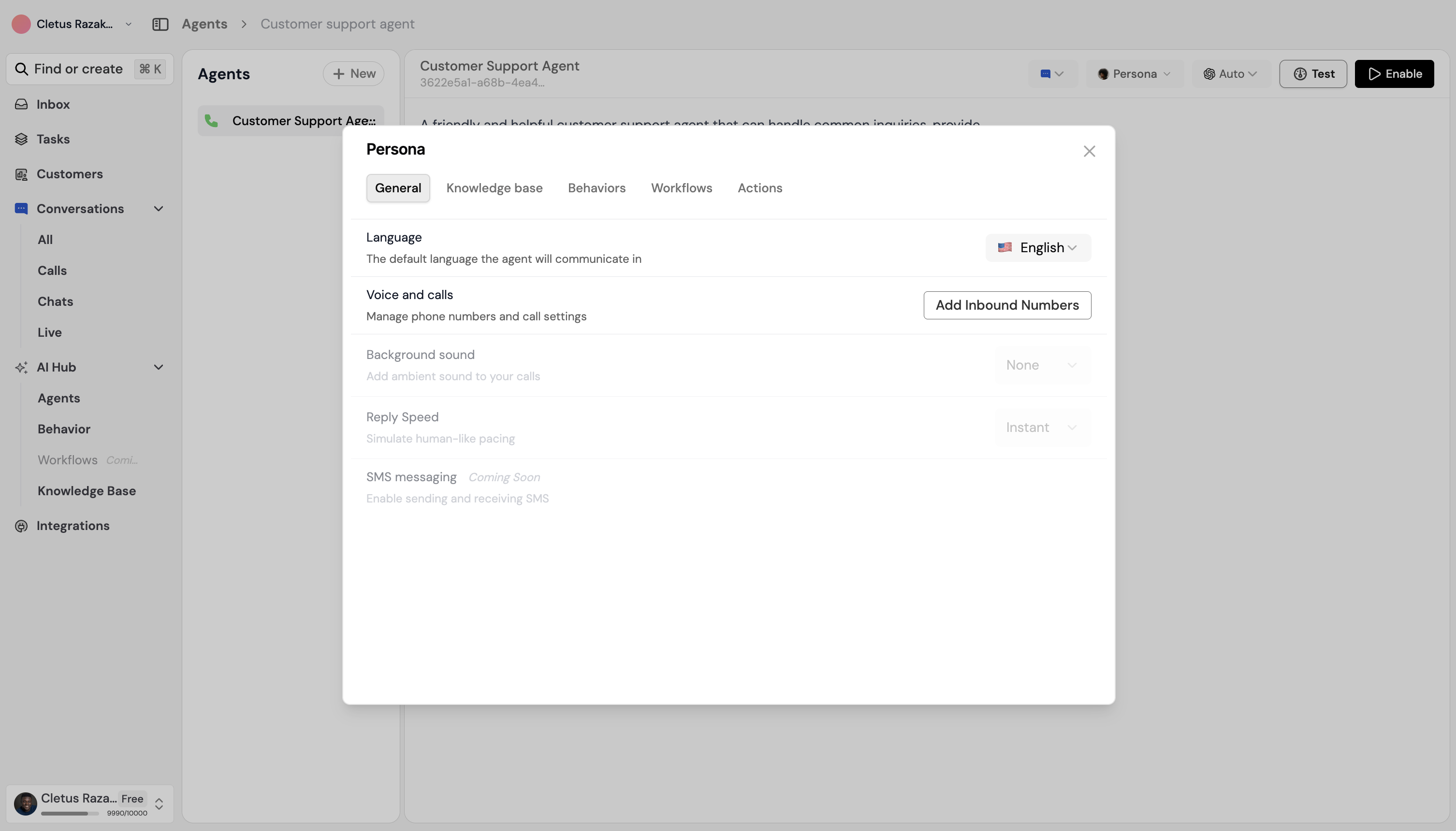
General
What it does: Defines the agent’s personality and instructions — how it should speak and act in every conversation. What you set:- Personality / instructions — Free-form text that tells the agent its role, tone (e.g. friendly, professional), and any hard rules (e.g. never share internal links, always confirm before creating a work order). The agent uses this as its base behavior.
- If you started from a template, this tab is often pre-filled; you can edit it to match your brand and policies.
Knowledge base
What it does: Chooses which content from your Knowledge base this agent is allowed to use when answering (folders, documents, links). What you set:- A list of your organization’s knowledge base items (folders and files). You select which ones this agent can use. Only selected items are used to answer questions.
- The agent searches this content and uses it in its replies so answers stay accurate and on-brand.
Behaviours
What it does: Turns on or off predefined behaviours (e.g. “always be polite”, “escalate if unsure”). Behaviours are created by your admin and shared across agents. What you set:- A list of available behaviours. You toggle each one on or off for this agent. Only behaviours you turn on apply.
- Behaviours add rules or style without you writing long instructions in General.
Workflows
What it does: Chooses which workflows this agent is allowed to run (e.g. create work order, send notification, add to leads). What you set:- A list of workflows your organization has. You select which ones this agent can trigger. When a user’s message implies an action (e.g. “I need to report a leak”), the agent can run one of these workflows if you enabled it.
- Restrict to the workflows that make sense for this agent so it doesn’t run the wrong process.
Voices
What it does: (Only for voice or phone agents.) Sets the voice and language used when the agent speaks on a call. What you set:- Voice — Which synthetic voice to use (e.g. from a list of available voices).
- Language — Language for speech (e.g. English, French).
Actions
What it does: (Only for voice agents.) Configures what the agent can do during a call (e.g. transfer, book appointment, look up information). What you set:- Which actions are available during a call (e.g. transfer to human, create task, check calendar). You enable or configure the ones that fit this agent.
- The agent can use these actions when the user asks for something (e.g. “Transfer me to support”, “Schedule a visit”).
Summary
Save after changing a tab if the app asks you to. Then test the agent in Preview or Test chat (and for voice agents, with a test call) to confirm everything works as expected.
Related
- How to create an agent — Where the persona fits in the flow.
- Behaviour — Managing behaviours.
- Knowledge base — Adding and linking content.